New here?
Start here. No crypto knowledge needed.
This site lets you mint pixel-art GPU cards, seat them in a rack, and swap or browse coins on Solana. Below is everything in plain words: three steps, help with wallets, and a short word list.
Right now: the GPU mint is live and swap is open. Coin launches are in development. You can look around without a wallet and without spending anything.
How it works
In 3 steps
- 1
Get a wallet
A is a free app that holds your account. It is how you sign in here. Setting one up takes a few minutes.
No wallet yet? Start here - 2
Connect it
Press Connect . This only shares your , like a username. Nothing is signed, spent or sent.
Is that safe? - 3
Pick what you want to do
GPU cards and seat them in a rack, swap coins, or just look around. Every action shows a summary first, and your asks you to approve it. You can always say no.
See the options
Step 1 in detail
No wallet yet?
A wallet is a free app on your phone or a browser add-on. It holds your Solana account, shows what you own, and asks you to approve every action. Think of it as your login and your wallet in one. Nobody, including this site, can use it without your approval.
- A
Install a wallet
Use the official download page only. Phantom is the most common choice.
- B
Create your wallet and save the secret phrase
The wallet shows 12 or 24 words once. Write them on paper and keep the paper somewhere safe. Anyone who has these words controls the wallet, and nobody can recover them for you.
- C
Come back and press Connect wallet
Reload this page first if you just installed it. On a phone, open this site inside the wallet app's own browser.
- D
Add a little SOL, only when you need it
SOL pays the small network fees and some prices. In Phantom, open Buy and pay by card or bank. Or send SOL from an exchange account to your wallet address, which you copy from the wallet. Choose the Solana network when you send, and send a small test amount first. Start with an amount you can afford to lose.
You do not need SOL to look around.
Three safety rules
- Never type your secret phrase into a website. This site will never ask for it. Anyone who does is trying to steal from you.
- Read your wallet's approval window. It shows what you are about to do. If you do not understand it, press reject. Nothing happens.
- Check the address. Copy a coin's contract address only from the official site or the official X account. Fake coins copy names.
Step 3 in detail
What can I do here?
Collect and build
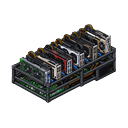
GPUs are pixel-art cards. A rack is a display case that holds them. Seat your cards, switch the rack on and see it light up. The mint is live.
Launch a coin
Give a coin a name, a ticker and an image. It starts trading straight away on a price curve. Coin launches are in development.
Just explore
Browse the board of coins, read where every fee goes, and take the two-minute tour. No wallet needed.
More pages: Rack economy · GPU Minted · Docs · Updates · Status
Questions
Common questions
Is this live? Can I buy something today?
Yes. Swap is open with a 0% site fee, and the GPU mint is live on Solana mainnet: 1337 pixel-art cards, paid in $GPU. You need a wallet, a little SOL for the network fee, and $GPU. Every action shows a summary and your wallet asks you to approve it.
Do I need money to start?
Not to look around: you do not need a wallet or any SOL. You need a wallet, a small amount of SOL for the network fee, and $GPU only when you mint a GPU or swap.
Is it safe?
Nothing here can move your money unless you press approve inside your own wallet. This site never asks for your secret phrase and never holds your keys. Coins are created by users, so do your own research. Digital collectibles and coins can lose all of their value, so only use money you can afford to lose.
What if I press something by mistake?
Before any real action, the site shows a summary and your wallet asks you to approve. If you do not approve, nothing happens. Once an approved action is on the blockchain it usually cannot be undone, which is why the summary comes first.
Is a GPU a real graphics card?
No. A GPU here is a pixel-art collectible card drawn for this collection. It is fictional and not affiliated with any hardware maker. A rack is a display case for your cards.
Where can I see the GPUs that were minted?
On the GPU Minted page. Every card is read from the chain and links to Solscan. Connect your wallet and open My GPUs to see the cards you hold.
Which wallet should I pick?
Phantom is the most common one on Solana and works in a browser or on a phone. Solflare also works. Pick one, install it from its official page only, and write your secret phrase on paper, not in a file.
I have a wallet but the site does not see it.
Reload the page after installing. On a phone, open this site inside the wallet app's own browser. If you only want to look around, you can paste a public address for a view-only visit.
Word list
Plain-words glossary
Every underlined word on the site opens a short version of these.
Wallet and money
- Wallet
- A free app that holds your Solana account. You use it to sign in to sites like this one and to approve actions.Phantom and Solflare are two popular ones. You keep the secret phrase. This site never asks for it and never holds your keys.
- Public address
- Your wallet's address, like an account number. It is safe to share. People can see what is in it, but nobody can move anything.
- Secret phrase
- 12 or 24 words that work as the master password to your wallet. Never type them into a website and never share them. This site will never ask.
- Solana
- A blockchain: a shared public record of who owns what, kept by many computers instead of one company. This site runs on it.
- SOL
- Solana's own currency. You need a small amount to pay network fees, and some actions are priced in it.You do not need any SOL to look around.
- Network fee
- A very small charge paid to the Solana network every time you approve an action. Your wallet shows it before you confirm.
- Sign / approve
- Your wallet opens a window and asks you to confirm. Nothing happens until you press approve there, and you can always say no.
- On-chain
- Recorded on the blockchain, where anyone can check it. It cannot be quietly edited later.
- Mainnet
- Mainnet is the real Solana network, with real money. Everything on this site runs on mainnet.
- Smart contract (program)
- Code that lives on the blockchain and follows its written rules the same way for everyone. Code can still have bugs, so risk is never zero.
Collectibles
- NFT
- A digital item recorded in your wallet that you own, like a numbered trading card. A GPU or a rack here is an NFT. It is a collectible, not a claim on any amount.
- Mint
- Create a new NFT and receive it in your wallet. Minting a GPU means getting the next numbered card.The GPU mint is live. Each card costs the price shown on the Mint page, paid in $GPU.
- GPU (in this project)
- A pixel-art card drawn for this collection. It is a fictional collectible, not a real computer part, and not affiliated with any hardware maker.
- Rack
- A display case for your GPU cards, with a fixed number of slots. Arranging cards is a display choice. Nothing moves on the blockchain when you do it.
- Slot
- One place in a rack that holds one GPU card. Bigger racks have more slots.
- Watts (W)
- A power number inside the rack builder. Every card draws some watts and every rack has a limit. Over the limit, the rack will not power on. It is part of the game, not a real power bill.
- PSU (power supply)
- The rack's power limit in watts: 600 W on a Starter up to 16000 W on a Datacenter. If the cards you seat draw more than that, the breaker trips and the rack will not power on.
- Rarity
- How scarce a design is: Common, Uncommon, Rare, Epic or Legendary. It is a design count, not a supply.
- Rack tier
- The level of a rack, from 1 to 5: Starter (2 slots), Garage (4), Rig (8), Farm (16), Datacenter (32). A higher tier has more slots, more power and a bigger weight bonus. A tier only goes up.
- Supply
- How many of something exist in total. The GPU collection supply is not set yet.
Coins and the launchpad
- Coin (token)
- A digital currency or collectible unit that someone created on Solana. Anyone can launch one here. Coins can lose all of their value.
- Launchpad
- A place where you create a new coin and where people can start trading it straight away.
- Ticker
- The short name of a coin, 1 to 10 letters or numbers, like a stock symbol.
- Contract address (CA)
- The unique address of a coin on the blockchain. Copy it only from the official site or the official X account, because fake coins use the same name.
- Bonding curve
- A price rule built into a new coin: the more people buy, the higher the price moves, and it moves down when people sell. You trade against the curve, so no other seller is needed.
- Graduation
- When a coin's curve is full, the coin moves to a regular trading pool on Meteora.
- Meteora
- A Solana trading platform. This launchpad uses its Dynamic Bonding Curve (DBC) tool to run each coin's curve.
- pump.fun
- A separate public coin launchpad. $GPU itself is created there, not on this site's board.
- Market cap / FDV
- The coin price times the total number of coins. It is a headline size number, not money sitting in a bank, and it does not tell you what you could sell for.
- Liquidity
- The pool of money that lets people buy and sell a coin. Locked liquidity cannot be taken out by the creator.
- Slippage
- The price can move between the moment you press the button and the moment your trade lands. Max slippage is the most movement you accept. Past it, the trade is cancelled.
- Dev buy
- The creator's own first purchase of their coin, made in the same step as the launch.
Fees and the treasury
- Burn
- Send coins to a place where nobody can ever use them again, so they are gone for good.
- Treasury
- A shared wallet that receives the platform fees. Its rules are public on the blockchain.
- Multisig (Squads)
- A wallet that needs several people to approve before anything moves. Squads is the tool used to make it. 2-of-3 means any 2 of 3 signers.
- Time lock
- A waiting period before a change takes effect, so everyone can see it coming.
- Fee pool
- The shared pot that rack owners can claim a portion from. It depends on activity and can be zero.
- Rack weight
- A number for your rack: GPUs bought with $GPU, times your tier bonus. It sets your part of the fee pool.